Ordering Personalised Products
In this tutorial you will be shown how to add a product to your shopping cart.
Open the Product Catalogue
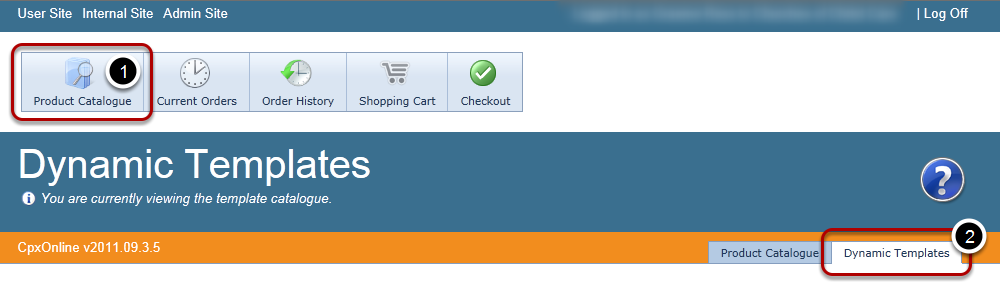
Click on the Product Catalogue menu (#1) and then the Dynamic Templates tab (#2)
Creating Your Product
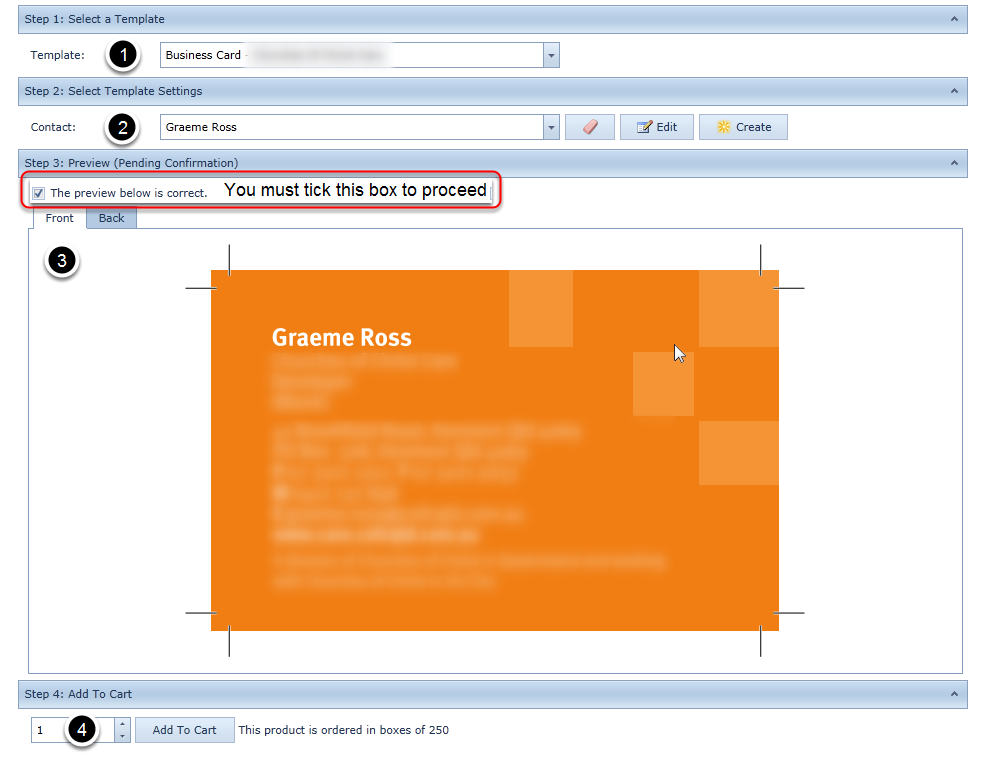
- Select the Template you want to use.
- Select the Information to appear on the template (see how to create & edit contacts).
- Preview your Template - please note this is an accurate representation of how the template will print. If what you are seeing is not correct DO NOT place the order, instead please contact your administrator.
- Add the desired quantity to your shopping cart, please take note of the pack size.
Once you have finished adding dynamic items refer to the Place Order
Check your Shopping Cart (Optional)
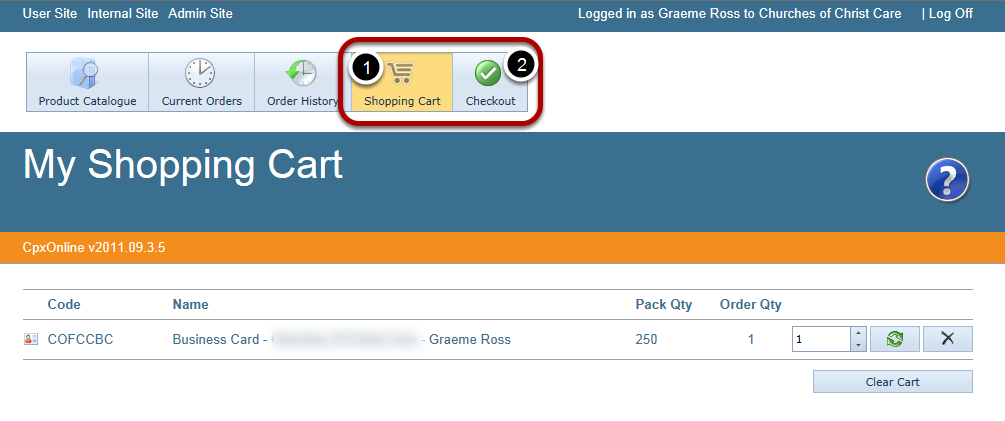
You can adjust the quantity being ordered, remove items that are not required or clear your entire cart from this page.
Checkout - Order Details

Select the date that you would like to have your order delivered by, please note that in most cases your order will be dispatched within 2-3 days, any items that are not available at the time of your order will go into back order until they become available.
Checkout - Order References
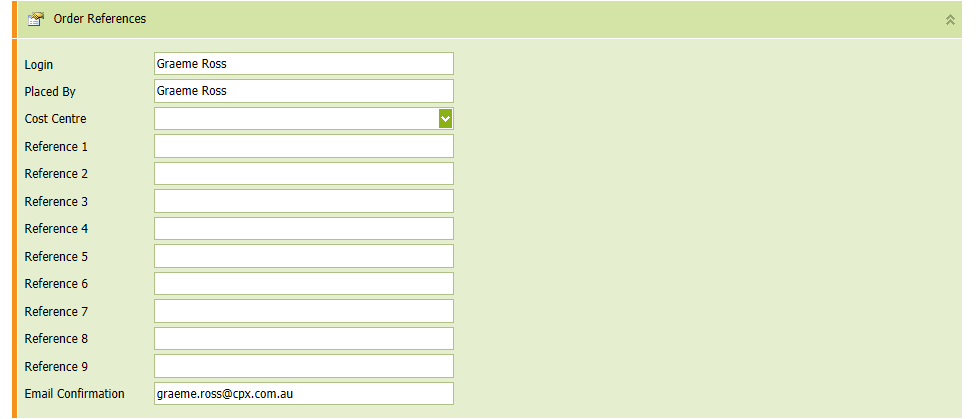
Order references are different for every customer, please enter the information specific to your company requirements.
Checkout - Delivery Address
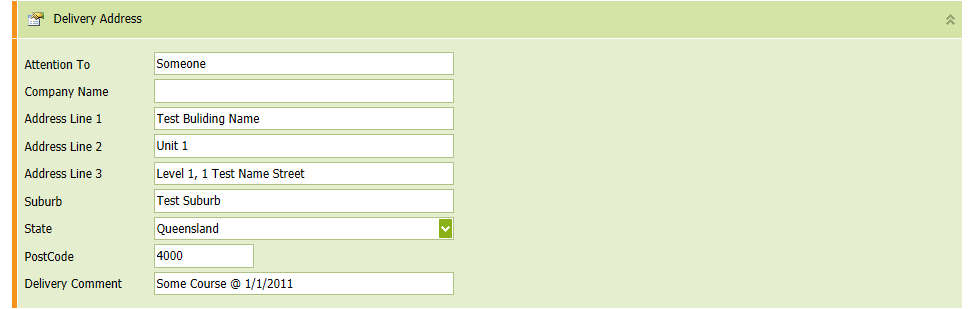
You can select an existing address from the Quick address drop down, alternatively you can manually enter all of the address information.
The Delivery Comment will allow you to better determine who or what the order is for e.g. you could put "Special Event - 11/11/11" it will appear on your delivery paperwork and box labeling.
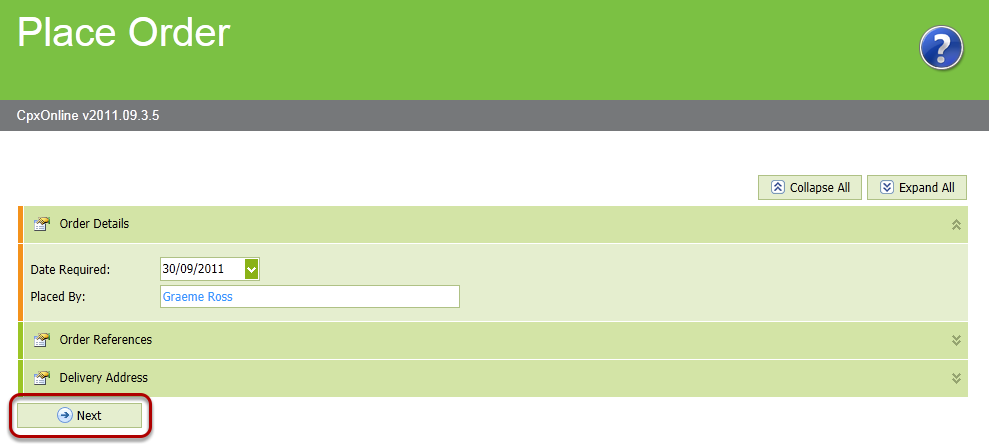
Placing the Order
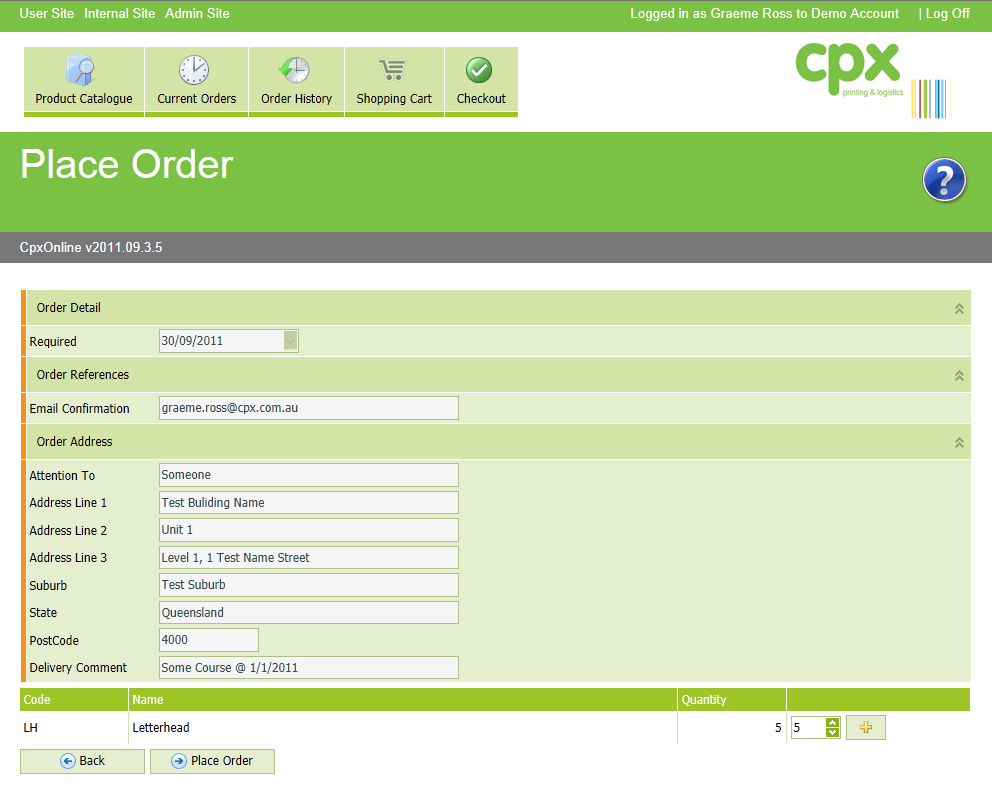
This is your last chance to make any changes to your order, please check over all information. If you are happy with your order press the Place Order button.
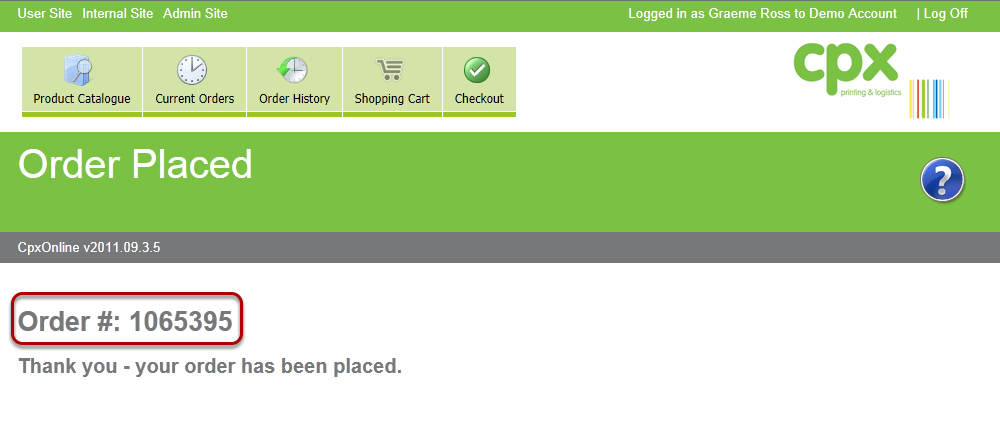
Email Confirmation
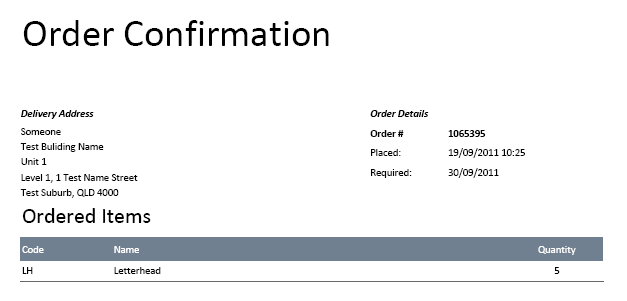
If you enter an email address in the references section, you will have received an email confirmation of your order.